Quick Reference for AI Agents & Developers
Requires: UNNotificationServiceExtension target in your appPurpose: Update badge count when push notification receivedImplementation: Override didReceive(_:withContentHandler:) in extensionRelated: Push Notifications · Prepare for Background This guide helps you to set up an incremented badge for the app icon using Notification Service Extension .
UNNotificationServiceExtension This service grabs the data from the push notification payload, the user can modify its content and display the customized data on to the push notification.
In our case, we are modifying the data of the push notification and incrementing the badge count when a new push notification is received.
Let’s begin to implement an incremented badge count for your app.
Step 1: Add UNNotificationServiceExtension inside the app.
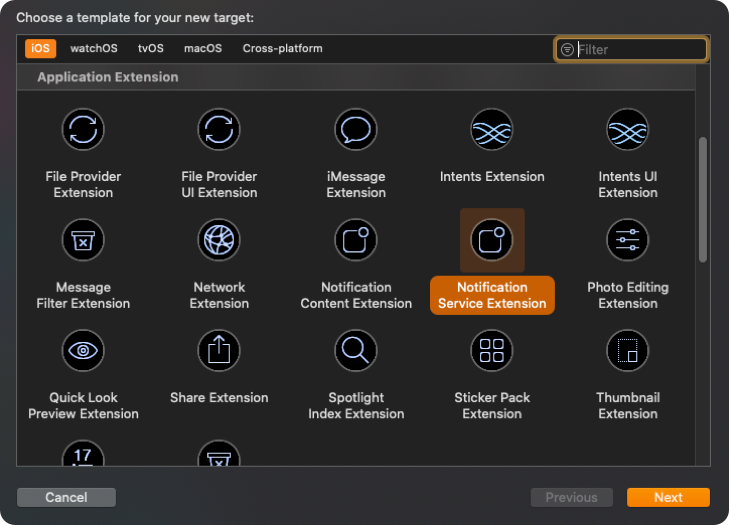
Click on File —> New —> Targets —> Application Extension —> Notification Service Extension.
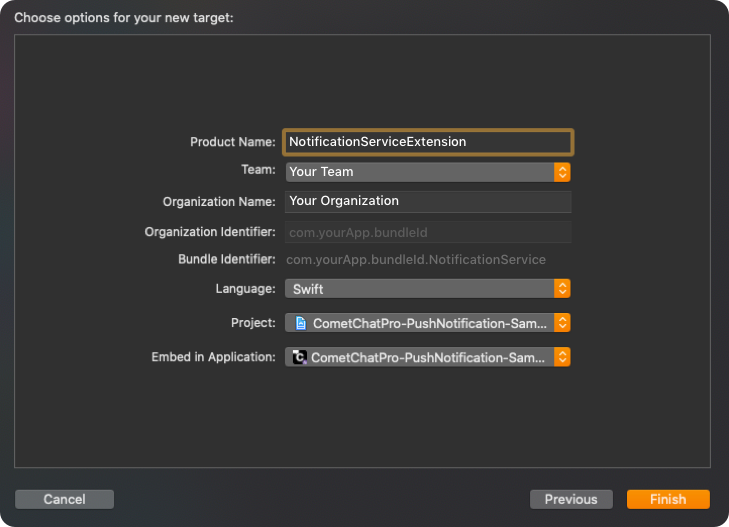
Add Product Name and click on Finish.
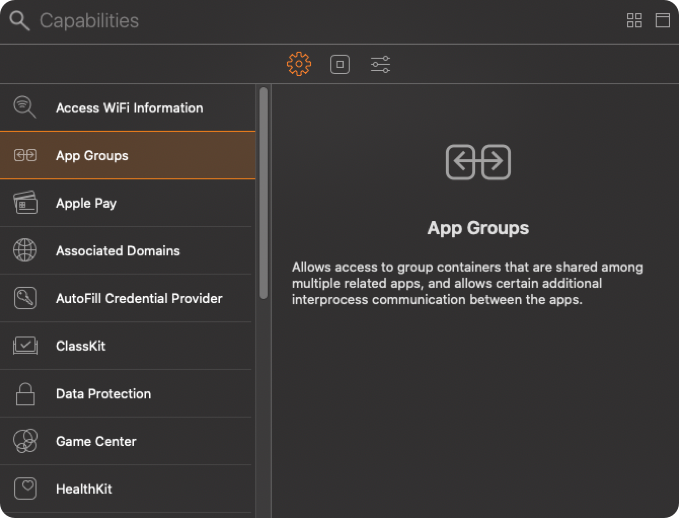
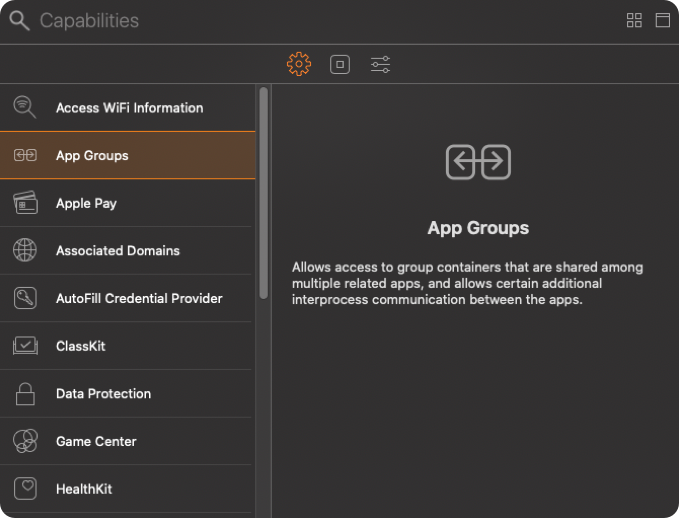
Step 2: Setup App Groups. 1 . Click on Project —> Targets —> Your app Target —> Signing & Capabilities —> [+] —> App Groups.
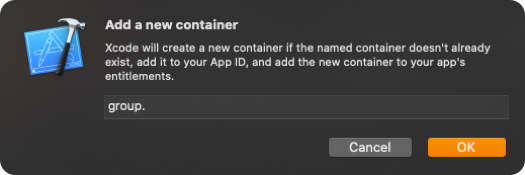
In App Groups, click on [+] —> Add a new container —> Enter group name —> OK.
Kindly, create a group name using the combination of ‘group’ and ‘App’s bundle identifier’ i.e group.com.yourApp.bundleId.
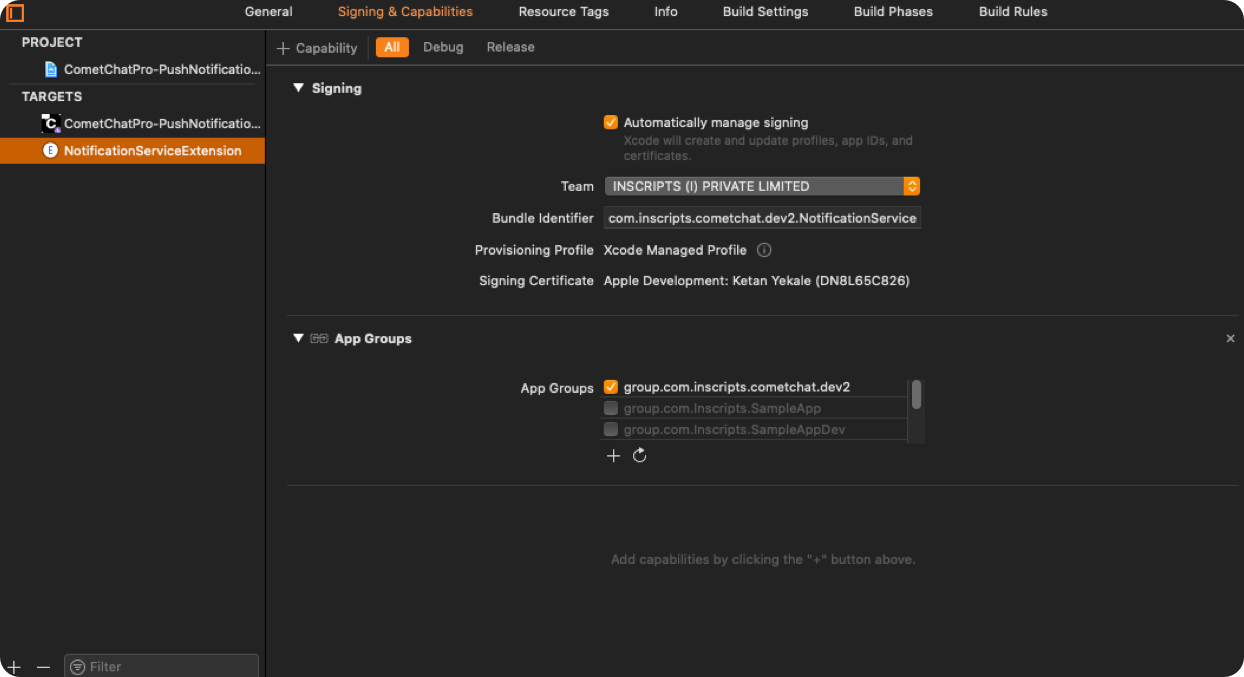
Make sure you’ve selected the app group which you’ve created earlier. If it is selected then it will look like a below-mentioned image.
Click on Project —> Targets —> Notification Service Extension Target —> Signing & Capabilities —> [+] —> App Groups.
Select the same App Group which you’ve created in Your app Target.
Step 3: Setup user suit for storing badge count.
Open AppDelegate.swift and add below code in applicationWillEnterForeground(_ application: UIApplication).
func applicationWillEnterForeground ( _ application : UIApplication) { UserDefaults ( suiteName : "group.com.yourApp.bundleId" ) ? . set ( 1 , forKey : "count" ) UIApplication. shared . applicationIconBadgeNumber = 0 }
Step 4: Setup Notification service extension to increment badge count.
Open NotificationService.swift and replace the below code in it.
import UserNotifications class NotificationService : UNNotificationServiceExtension { var contentHandler: ((UNNotificationContent) -> Void ) ? var bestAttemptContent: UNMutableNotificationContent ? let defaults = UserDefaults ( suiteName : "group.com.yourApp.bundleId" ) override func didReceive ( _ request : UNNotificationRequest, withContentHandler contentHandler : @escaping (UNNotificationContent) -> Void ) { self . contentHandler = contentHandler bestAttemptContent = (request. content . mutableCopy () as? UNMutableNotificationContent) var count: Int = defaults ? . value ( forKey : "count" ) as! Int if let bestAttemptContent = bestAttemptContent { bestAttemptContent. title = " \\ (bestAttemptContent.title) " bestAttemptContent. body = " \\ (bestAttemptContent.body) " bestAttemptContent. badge = count as? NSNumber count = count + 1 defaults ? . set (count, forKey : "count" ) contentHandler (bestAttemptContent) } } override func serviceExtensionTimeWillExpire () { if let contentHandler = contentHandler, let bestAttemptContent = bestAttemptContent { contentHandler (bestAttemptContent) } } }
Sample Payload - Badge Count Increment Flow
UserDefaults Storage (App Groups): Parameter Type Description suiteName String App Group identifier. Example: "group.com.yourApp.bundleId" key String Storage key. Example: "count" value Int Current badge count. Example: 5
Notification Content Before Modification: Parameter Type Description title String Original notification title. Example: "John Doe" body String Original notification body. Example: "Hello, how are you?" badge NSNumber? Badge count (nil before modification). Example: nil
Notification Content After Modification: Parameter Type Description title String Modified title. Example: "John Doe " body String Modified body. Example: "Hello, how are you? " badge NSNumber Badge count set. Example: 5
Badge Increment Sequence: Step Action Value 1 Read count from UserDefaults count = 1 (initial)2 Set badge on notification bestAttemptContent.badge = 13 Increment count count = 24 Save to UserDefaults defaults.set(2, forKey: "count")5 Next notification arrives badge = 2, then save 3
Sample Payload - App Foreground Reset
applicationWillEnterForeground Action: Parameter Type Description UserDefaults.set Int Reset count to 1. Example: defaults.set(1, forKey: "count") applicationIconBadgeNumber Int Clear badge from app icon. Example: 0
Effect: Action Description Badge cleared App icon badge removed Count reset Next notification will show badge = 1
Refer Sample App We have implemented it in our push notification sample app. You can download the sample app.
Download Push Notification Sample App Or else view it on Githhub .